
Add ecommerce to the website you already have
Keep your existing pages and design. Add products, checkout, payments and delivery only where you need them.
You do not have to rebuild your website as an online store to add ecommerce. If your site allows custom code or embeds, you can add selling functionality directly to the pages you already have.
That can be as simple as adding a payment button, or it can include the product, checkout, secure delivery, buyer emails, reviews and forms. The right setup depends on what you want to sell and how much of the selling process you want the software to handle.
Published .
What does adding ecommerce to an existing website mean?
Adding ecommerce does not have to mean adding a complete online store. In practice, you only need the pieces required for the sale you want to make.
A product or offer
Something on the page that explains what the buyer is getting and what it costs.
A way to buy
This could be a payment button, a product box or a checkout that opens from the page.
Payment processing
A way to take the buyer's payment and send the money to the appropriate payment account.
Delivery
For digital products, the buyer needs a secure way to receive the file after payment.
Buyer emails and order records
Receipts, download instructions and a record of each sale.
Optional extras
Reviews, forms and email capture can be added where they help.
The important point is that these pieces can be added to the site you already have. You do not necessarily need to replace its pages, design or content-management system.
Four ways to add ecommerce to an existing website
There is more than one way to add selling to a website you already have. The main difference is how much of the existing site stays in place and how much of the selling process is handled elsewhere.
-
Add a payment link or payment button
This is the simplest option. You keep your existing page and add a button or link that sends the buyer to a payment page.
It can work well for simple or occasional sales. But payment is only one part of ecommerce. You may still need to arrange delivery, buyer emails, order records, refunds and any tax handling that applies to you.
-
Embed selling functionality into the page
Instead of sending the buyer to a separate store, you add the selling element directly to your existing page using custom code or an embed.
Depending on the software, that element might be a full product box, a buy button, checkout, reviews or another part of the buying experience. You add only the pieces the page needs.
-
Add a separate store section
Another option is to keep your main website and add a store alongside it.
This gives you a more traditional ecommerce setup, with products, categories and checkout managed by the store system. The store can sometimes look or behave differently from the rest of the website, and matching the design may take additional work.
-
Move the whole website to an ecommerce system
If selling is going to become the main purpose of the site, you can rebuild or migrate the whole website onto a full ecommerce system.
This puts the website and store in one place, but it is also the most disruptive route. You may need to rebuild pages, migrate content and adapt the existing design.
The four approaches compared
On a small screen, scroll the table sideways to compare the four approaches.
| Question | Payment link or button | Embed selling into the page | Add a store section | Move to a full ecommerce system |
|---|---|---|---|---|
| What happens to your existing website? | Stays as it is | Stays as it is | Stays, with a store added alongside it | Usually rebuilt or migrated |
| Where does checkout happen? | Often on a separate payment page | On or from the existing page | In the store section | In the ecommerce system |
| How much of the site changes? | Very little | Very little | Some | A lot |
| Design control | High on the original page, less on the payment page | High, because selling is added to the existing page | Can vary between the site and store | Depends on the ecommerce system |
| Setup complexity | Low | Low to moderate | Moderate | Highest |
| Best fit | Simple or occasional sales | Keep your site and add only what you need | A more traditional store without replacing the main site | Selling is central to the whole website |
How to add ecommerce without rebuilding your website
If you want to keep your existing website, the basic process is straightforward.
-
Decide what you want to sell and where it should appear.
Start with a page you already have, or create a normal page for the product. Decide what the buyer needs to see there: the product, price, buy button, reviews or some combination of these.
-
Choose the selling element you need.
A page that already explains the product may only need a buy button. Another page may need a complete product box with the title, price and checkout. You do not have to add the same ecommerce elements everywhere.
-
Set up the payment account.
If you are selling directly, connect the payment account that will receive the money. The exact setup depends on the software you choose.
-
Add the selling element to your existing page.
If your website is hand-coded, add the embed code where you want the element to appear. If you use a website builder, look for its custom HTML, custom code or embed feature. If an AI coding assistant built the site, you can usually give it the embed code and tell it where to place it. Your website or plan needs to allow custom code or embeds.
Your existing page, then add the embed code, then the product, button or checkout appears on the page.
-
Set up what happens after payment.
For a digital product, that normally means secure delivery, a receipt, a download email and an order record. Decide how the buyer receives the file and how you will handle a resend or refund if needed.
-
Test the complete buying journey.
Check the page on desktop and mobile. Run through checkout, payment, confirmation, buyer emails and delivery. If a test or sandbox mode is available, use it first. Before launch, a small real transaction is a useful final check.
-
Add the extras only when they help.
Reviews, forms and email capture can improve trust and follow-up, but they do not have to be part of the initial setup.
What can you add to an existing website?
You do not have to add a complete store. You can add only the selling elements that make sense for the page.
Product box
Show the product, price and buy button together.
Buy button
Keep your existing sales copy and add only the button that starts checkout.
Checkout
Let the buyer complete the purchase from the page rather than sending them through a separate store.
Digital delivery
Send each buyer their own secure download link after payment.
Verified customer reviews
Add social proof where it helps the buying decision.
Forms and email capture
Add signup, contact or email capture without rebuilding the page.
A landing page may only need a buy button. A product page may need the full selling element and reviews. A contact page may only need a form. The ecommerce layer can be as small or as complete as the page requires.
What to check before choosing a way to add ecommerce
Before choosing a setup, check how it will affect your existing website and what the software will handle for you.
- Does your website allow custom code or embeds?Some website builders support this on every plan; others restrict it to certain plans.
- Will buyers stay on your website?Some setups open checkout on or from the existing page. Others send buyers to a separate payment or store page.
- Who receives the payment?Check whether the money goes directly to your own payment account or whether the service takes a different role in the transaction.
- What happens after payment?If you sell digital products, make sure delivery, receipts, buyer emails and order records are handled properly.
- How much control do you keep over the design?The more of the buying experience that happens outside your site, the less control you may have over how it looks and feels.
- Does it work well on mobile?Check the product element and the complete checkout journey on a phone.
- Can you export your buyers and orders?Make sure your customer and sales records are available to you.
- How are refunds and tax handled where applicable?Understand which parts the software handles and which remain your responsibility.
The right choice depends on what you are selling, how much control you want, and whether ecommerce is a small addition to the site or its main purpose.
How Pluribox adds ecommerce to an existing website
Pluribox is built around the idea that you should not have to replace a website you already like just to start selling from it.
You create a Product in Pluribox, choose the type of Box you need, and place its embed code on the page you already have. The selling functionality appears there while the rest of the website stays as it is.
- A Full Product Box shows the product, price and buy button together.
- A Button Box adds only the buy button when the existing page already contains the image, description and sales copy.
- A Reviews Box adds verified customer reviews separately, so they can appear where they are most useful.
- Forms add signup or contact functionality without replacing the rest of the site.
When a buyer starts a purchase, checkout opens from the existing page. Payment goes through the seller's connected Stripe account, and the seller continues to sell in their own name.
For digital products, Pluribox also handles secure delivery, order and download emails, and buyer and sales records. Each buyer receives their own download link, subject to the limits and expiry you set.
Product information stays connected to the Product you created in Pluribox. If the same Product appears in more than one Box or on more than one page, you do not have to maintain a separate copy for each placement.
Verified customer reviews, Review Incentives on eligible plans, Forms and email capture can be added when useful. You do not have to use all of them to start selling.
The result is an ecommerce layer added to the website you already own, rather than a new store that your website has to become.
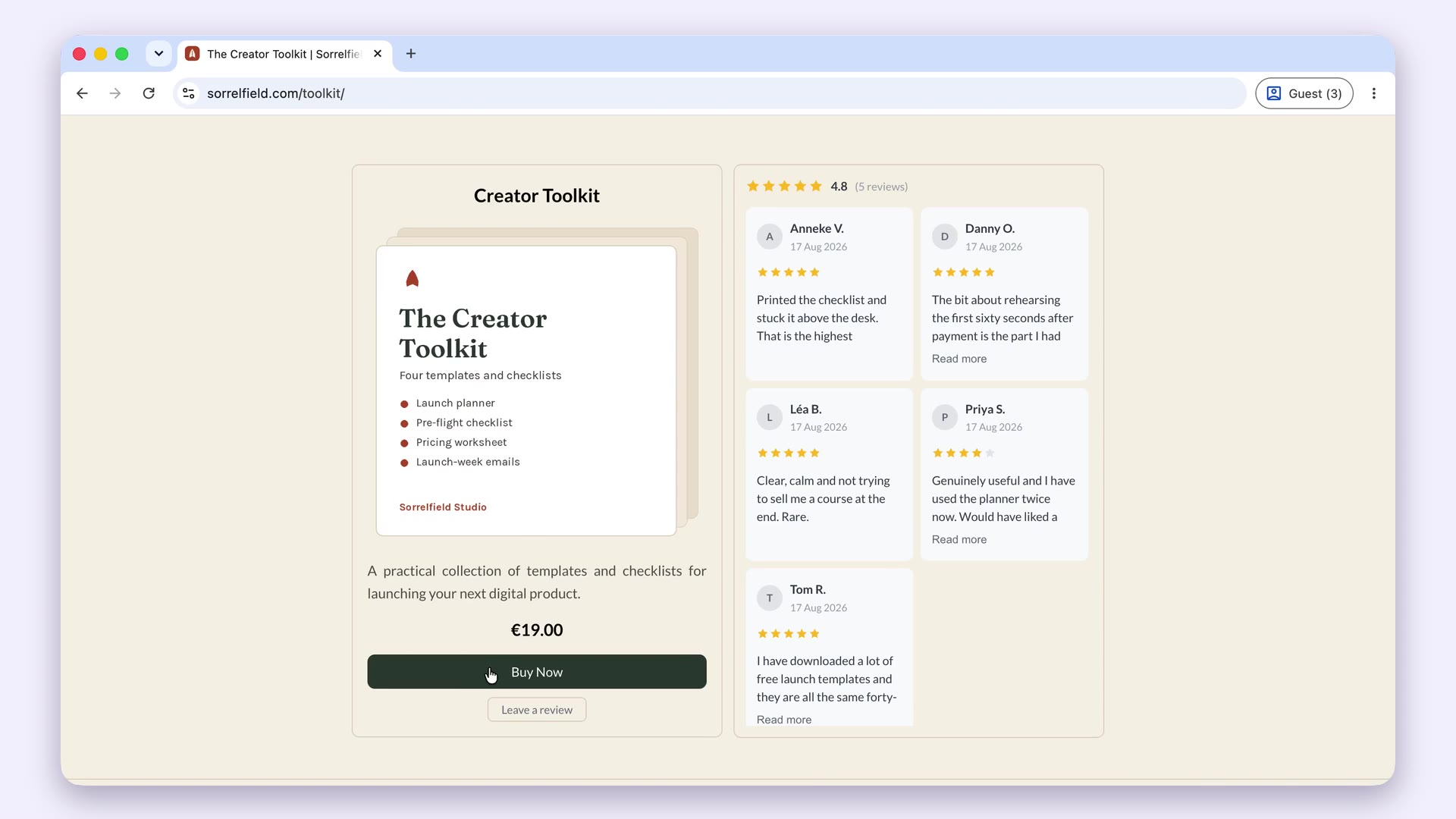
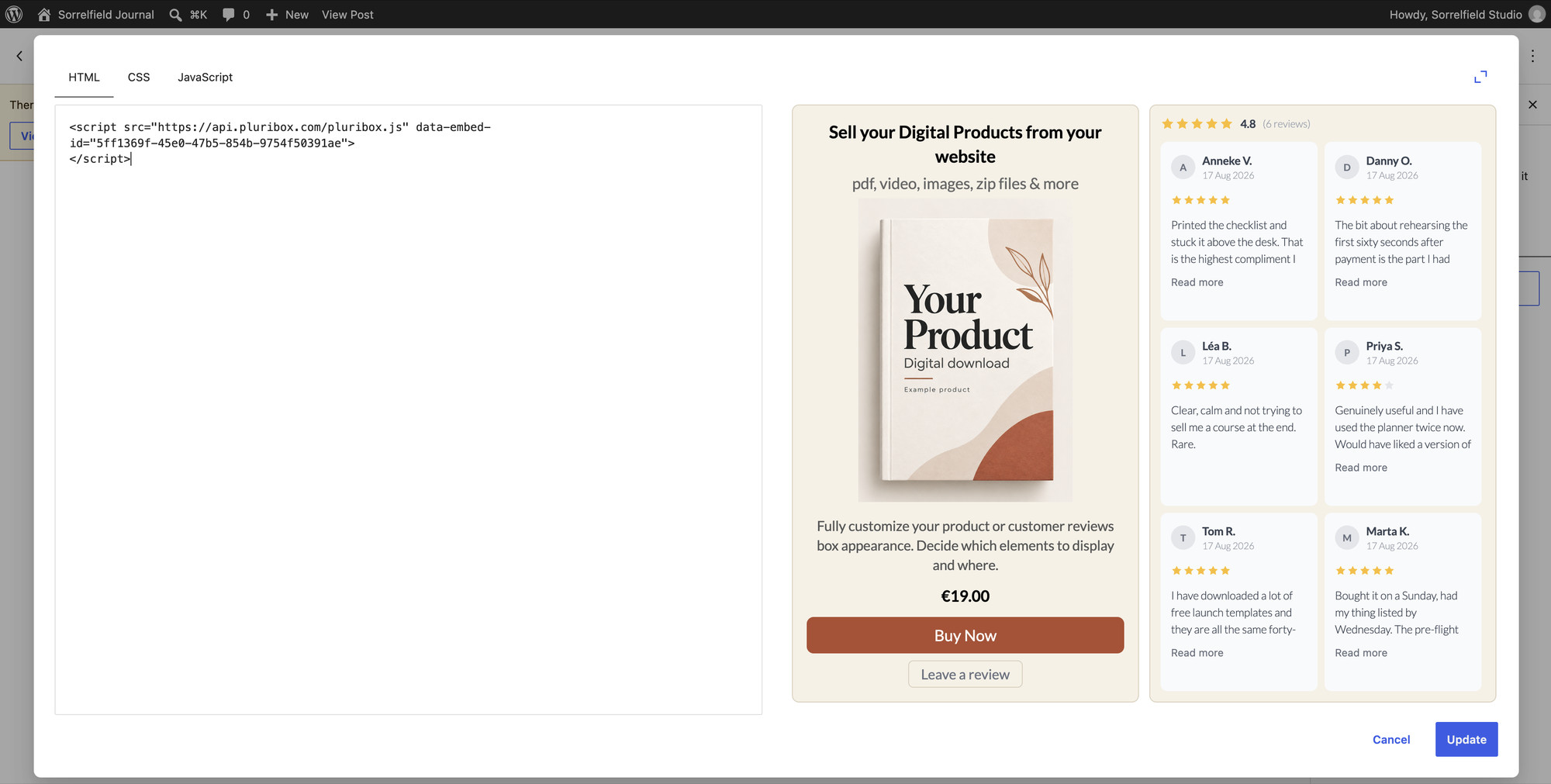
Keep the website you already have. Add the selling functionality you need.
Pluribox is currently in pre-launch. Join the Founding Cohort for priority access.
Join the Founding CohortFrequently asked questions
Can I add ecommerce to an existing website?
Yes. You do not necessarily need to rebuild your website or move it to an ecommerce system. If your site allows custom code, embeds or links, you can add selling functionality to the pages you already have.
Can I add a checkout to my website without rebuilding it?
Yes. Some selling software lets checkout open on or from an existing page rather than requiring you to replace the whole website.
Other setups send the buyer to a separate checkout page, so check how the software handles checkout if keeping the buying experience close to your existing site matters to you.
Can I add a payment button to any website?
A simple payment link can usually be added anywhere you can create a normal link or button.
Embedded selling elements normally require the website or website builder to allow custom HTML, custom code or embeds. Exact support can vary by builder and plan.
Do I need Shopify or WooCommerce to sell from my website?
No. Full ecommerce systems are one way to sell online, but they are not the only option.
If you already have a website you want to keep, you can use a payment link, embed selling functionality into your existing pages, or add a separate store section.
Can I sell digital products from an existing website?
Yes. Your product page can remain on your existing website while selling software handles payment, secure delivery, buyer emails and order records.
For a fuller walkthrough, see our guide to how to sell digital products on your own website.
Does my website need to support custom code?
Not always. A payment link can work without custom code because it behaves like an ordinary link.
Embedded product boxes, buttons, reviews or checkout elements usually require custom HTML, custom code or embed support.
What is the easiest way to add ecommerce to an existing website?
That depends on how much of the selling process you need.
For an occasional payment, a payment link or button may be enough. If you want product information, checkout, delivery, buyer emails and other selling functions to work together while keeping the existing website, embedded selling software can reduce the amount you need to connect yourself.